

When you open Databricks, you see dozens of services, and it can be overwhelming to even get started!
In this article, we will talk about:
A roadmap to go from Databricks beginner to Databricks master
The parts of Databricks’ platform that are seriously worth investing your time into
How to use Databricks Free Edition to get your feet wet without spending money. (I recently released a free 3-part course where we build an automated trading agent that makes actual trades on Databricks Free Edition)
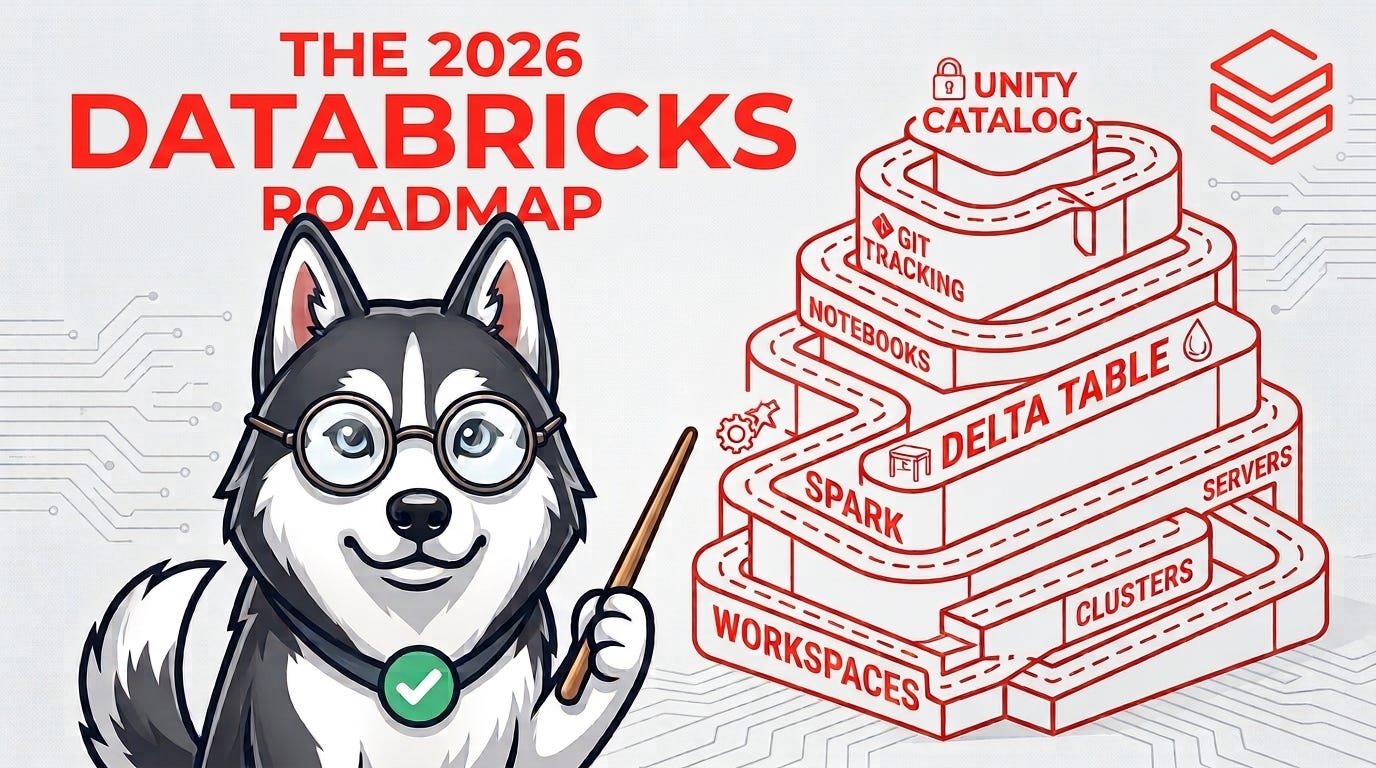
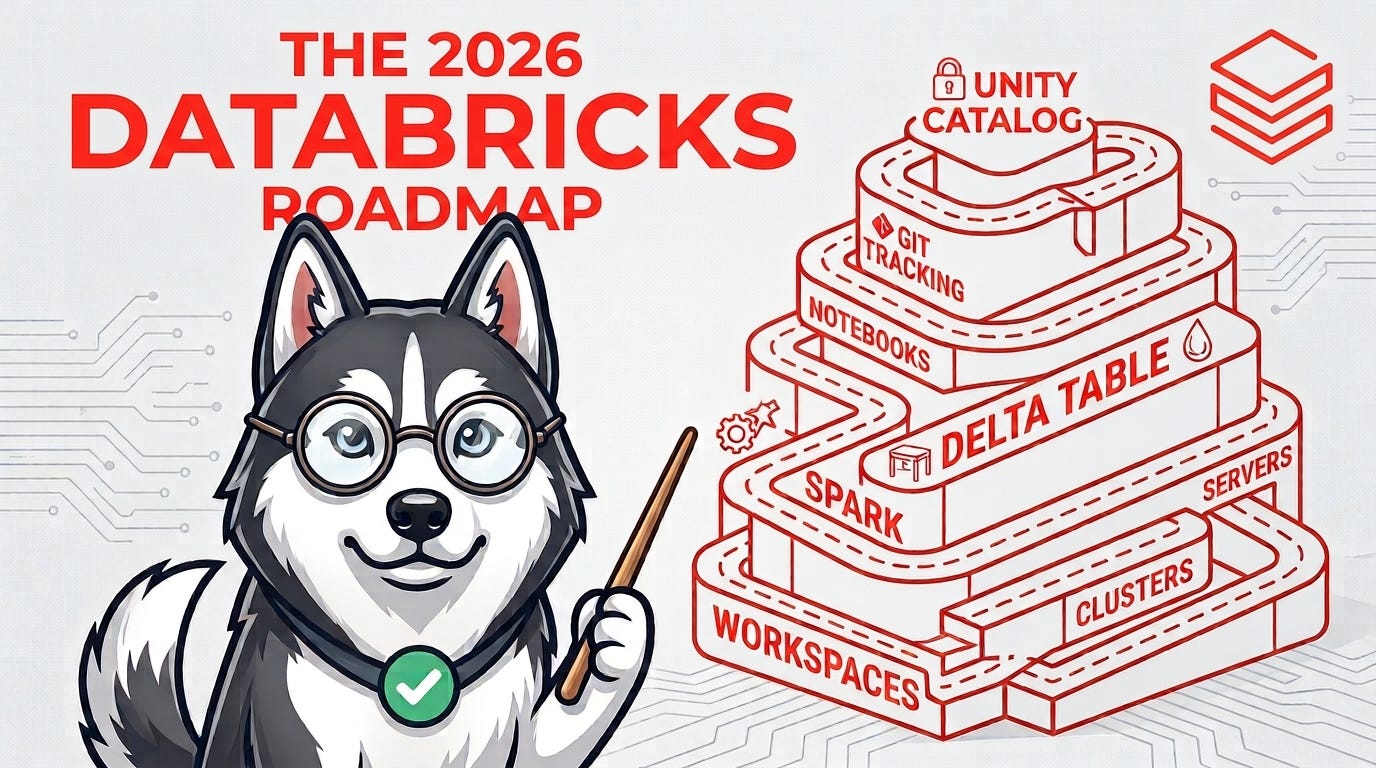
The Actual Roadmap to Mastering Databricks
Let me describe this roadmap in a set of levels
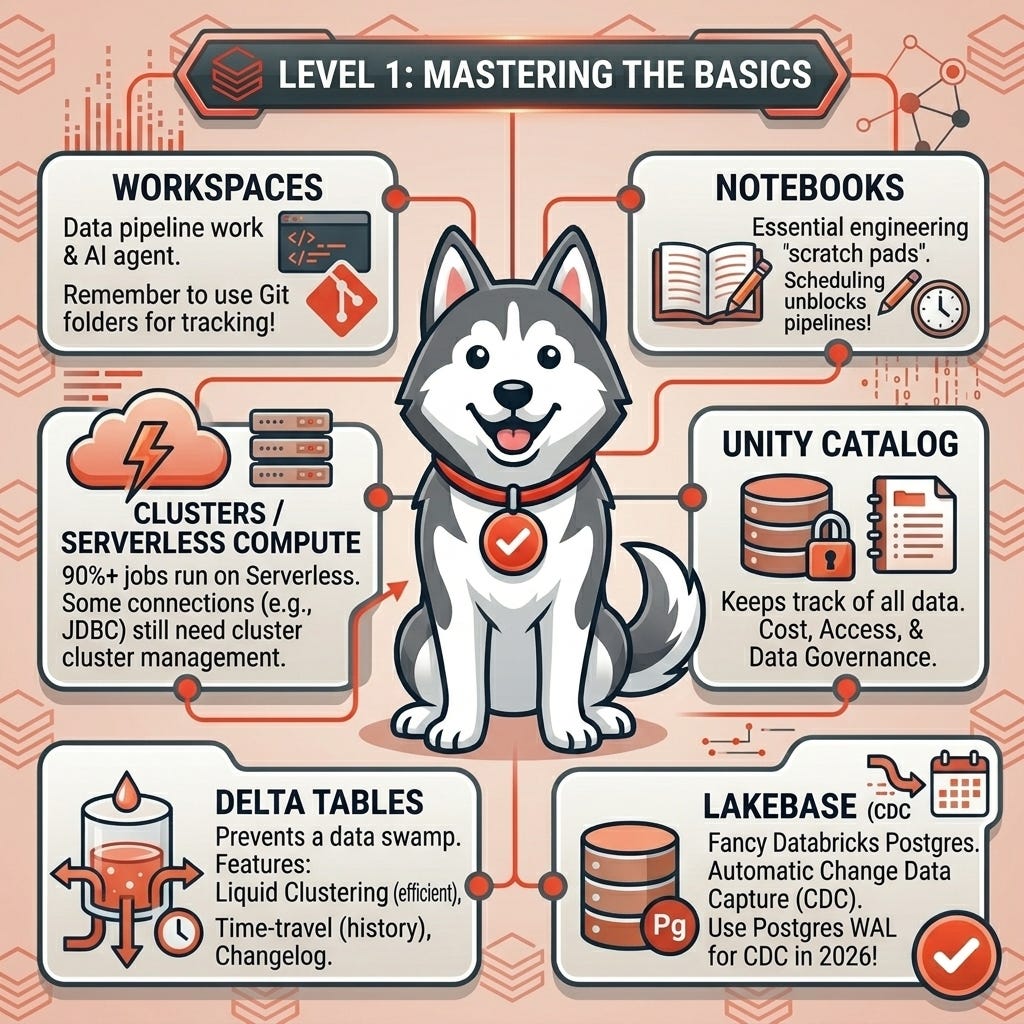
Level 1: Mastering the basics
Workspaces
This is where you can actually do your data pipeline work and AI agent. Remember to use Git folders in Databricks to track your changes in Git!
Notebooks
These are the scratch pads that are necessary for data engineering work. Netflix notoriously started scheduling notebooks in 2018. And Databricks turned that idea into a product.
Although I have some engineering concerns with scheduling notebooks (e.g., lack of CI/CD and lack of tests), it’s a really cool feature to unblock pipelines to start data flowing!
Clusters / serverless compute
Back in the day, Spark clusters were really important. In 2026, they are mostly in the background. Although some important things like JDBC connections and other things still need to be managed by clusters, 90%+ of jobs can run on Serverless
Unity Catalog
This keeps track of all your data. Critical for cost management, access management, and data governance!
Delta tables
Delta tables keep your data lake from becoming a data swamp. They have really cool features like liquid clustering (which makes them smaller and more efficient), time-travel, and a changelog.
Lakebase
Lakebase is Databricks’ extremely fancy version of Postgres. It gives you automatic change data capture. If you want to learn more about CDC check out this article. Using Postgres WAL is the ideal way to do CDC in 2026.
You should understand how to read and write Delta tables with SQL and PySpark.
By the end of level one, you should deeply understand the hierarchy:
Metastore → Catalog → Schema → Table
Level 2: Actually Moving Data Around
Understand WHY Delta Lake exists, not just how to run:
df.write.format("delta").saveAsTable(...)
Learn:
MERGE INTO
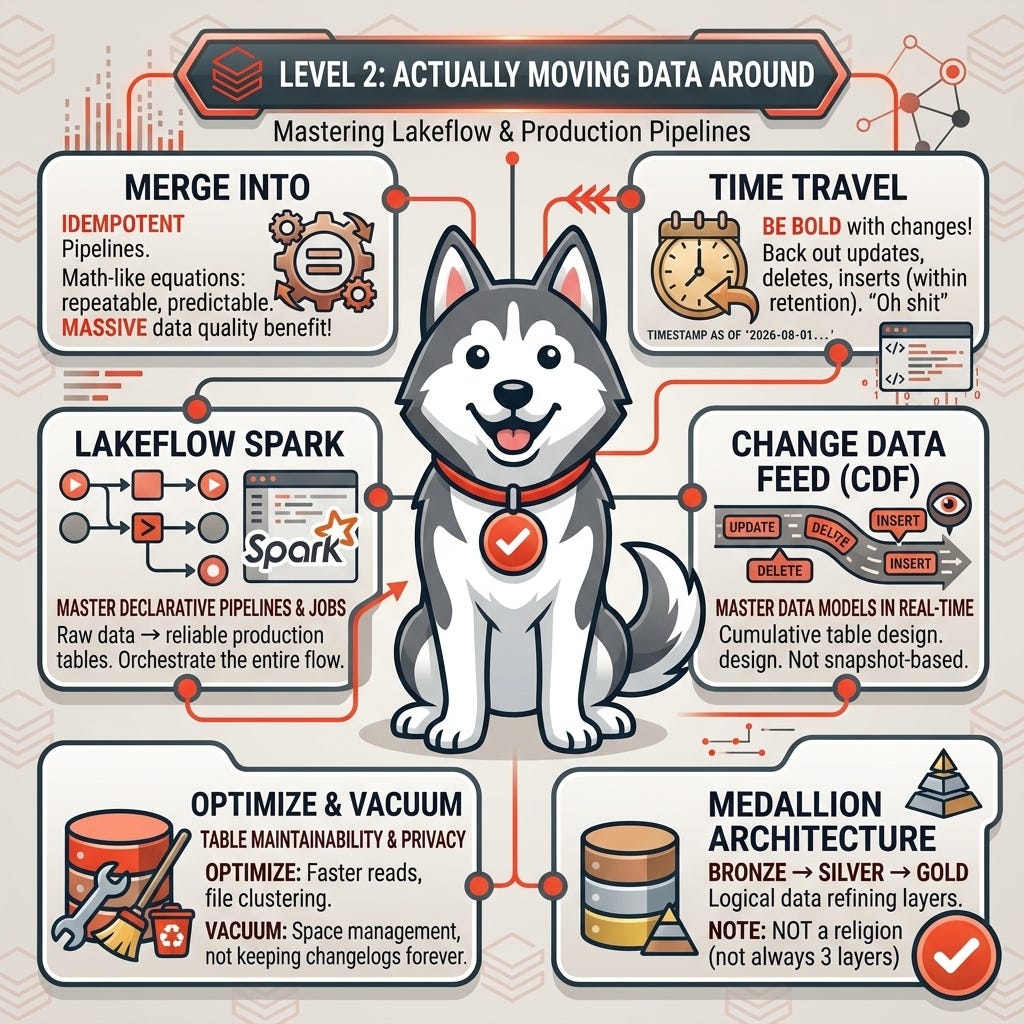
This keyword should be what you use most of the time because it makes your pipelines IDEMPOTENT. If you don’t know what idempotent means, please watch this video. Essentially, idempotent means your pipelines behave like mathematical equations and can be re-run and re-applied an arbitrary number of times without impacting the data. This is a MASSIVE benefit for predictable data quality!
Time Travel
This feature enables you to be bold with your pipeline and DDL changes because you can always back them out (within the table’s retention). You might run a query like this:
SELECT *FROM my_catalog.my_schema.my_tableTIMESTAMP AS OF ‘2026-08-01 12:00:00’;This query will undo all the updates, deletes, and inserts that have happened to the table between today and 2026-08-01 12:00:00.
This feature is extremely useful for those “oh shit” moments when you think you might’ve deleted all the data.
Change Data Feed (CDF)
CDF allows you to build master data models that are REAL-TIME and not snapshot-based. If you’re confused about master data modeling, please watch this video on cumulative table design to help you digest it.
OPTIMIZE / VACUUM
These commands make your tables more maintainable and privacy-compliant. The OPTIMIZE command fixes the file and clustering of the files in the table, which makes it faster to read . Without VACUUM command, your Delta tables would keep every change log forever just like Git!
Then master Lakeflow Spark Declarative Pipelines and Jobs.
At this level, you should be able to take raw data → transform it → create reliable production tables → orchestrate the entire pipeline.
You should also understand medallion architecture:
Bronze → Silver → Gold
Don’t turn it into a religion though. Not every pipeline needs exactly 3 layers
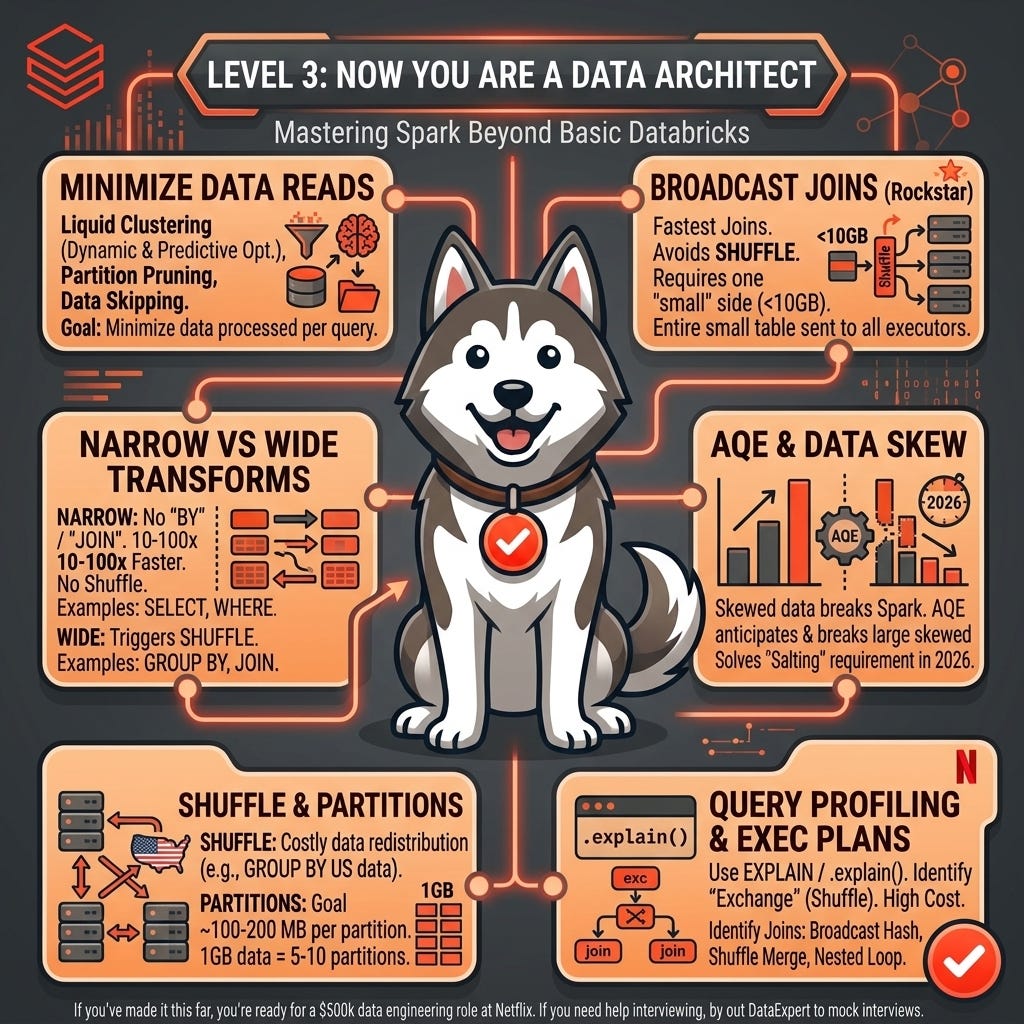
Level 3: Now you are a Data Architect
This is where knowing Databricks and knowing how to click around Databricks become VERY different things.
Understand these Spark and Data Lake concepts:
Liquid Clustering, partition pruning, predicate pushdown, and data skipping
These are all techniques used to minimize the amount of data processed for each query.
Partition pruning is used for older Delta Table formats as well as external Iceberg formats. Think of partition pruning as selecting the relevant folders and ignoring the rest.
Liquid clustering is Databricks’ dynamic way of organizing your data to maximize data skipping. Liquid clustering is a dynamic way of organizing the data into folders that minimize data reads (and you don’t have to manage it; Databricks will manage it with Predictive Optimization)
Narrow vs wide transformations
Narrow transformations don’t use the word “BY” or “JOIN”
SELECT, FROM, WHERE, HAVING = Narrow
GROUP BY, ORDER BY, JOIN = Wide
Narrow transformations don’t require shuffle and are easily 10 to 100 times faster than wide transformations.
Please rarely use ORDER BY as it forces all the data to go through a single sad Spark executor. Spark has a function called sortWithinPartitions that gives you most of the benefits of sorting without the shuffle overhead!
Shuffles
Shuffle is triggered by wide transformations because the data might not be distributed the way you expect. For example, GROUP BY country, there might be 3-4 nodes of data with United States on them. But all the United States data needs to “shuffle” into the same node; otherwise, the count will be wrong.
The only exception when shuffle is not triggered by a wide transformation is when you use a broadcast join. This doesn’t trigger shuffle because we just ship the entire “small” side of the join to every executor. This tactic can dramatically speed up your data pipelines!
Broadcast joins
This is the rockstar poster child of all Spark joins because he’s fast. But requires one of the sides of the join to be “small.” Small usually means less than 10 GBs.
Partitions
Spark defaults to 200 partitions (i.e., splitting your data into 200 chunks and having a worker process each chunk). This may be way too high, way too low, or just right for your job. You should shoot for ~100-200 MBs per partition for ideal performance from Spark. So if you have 1 GB of data, you should have 5-10 partitions.
Data skew and Adaptive Query Execution (AQE)
Skewed data used to be the death of Spark and required “salting” the group by. In 2026, AQE solves this pretty easily. AQE anticipates skewed data and breaks up large chunks of skewed data into smaller pieces so you don’t have one extremely slow Spark task.
Query profiling and Spark execution plans (use EXPLAIN or .explain() to read them)
The main thing here in query profiling is identifying when there is an “Exchange” step, which usually means Shuffle. Shuffle in Spark is extremely useful but also extremely costly as the data gets very large!
Being able to identify the different types of physical joins like broadcast hash join, shuffle-merged join, and nested loop join is critical for writing high-performance pipelines.
You can build a pipeline that works when you’re at level 2. You can build a pipeline that’s fast, reliable, observable, and doesn’t cost $40,000/month at level 3.
If you’ve made it this far, you’re ready for a $500k data engineering role at Netflix. If you need help interviewing for this role, try out DataExpert.io mock interviews.
The parts of Databricks that are actually worth it
If you want to get the most value, you need to use Databricks to solve the parts that it does well. Don’t think too much about the other pieces.
Databricks does 4 pieces extremely well:
Data Engineering
Why?
Databricks was originally built around Apache Spark. Spark is the most popular data engineering compute engine in the world. I used Spark at Netflix and Airbnb to process petabytes of data every single day!
The Data Lakehouse
Why?
People realized a data lake quickly became a data swamp without the right guardrails on quality. That’s why Databricks open-sourced Delta Table and the lakehouse architecture to scale data quality to petabytes
AI Engineering
Why?
Databricks has branched out a lot since the Spark days. Their AI segment is the fastest-growing piece of their business. Making AI agents on AgentBricks (day 3 of the free boot camp) is an absolute breeze.
Genie for data analysis and pipeline management
Why?
Genie can run a weekly analysis for you on a schedule. You can schedule analyst tasks with Genie, and it can automate almost all your data analysis needs. In a future article, I will talk about how AI threatens data analysis roles more than data engineering roles.
So the promise is pretty clear. If you use Databricks, getting AI agents and automated data analysis is extremely easy.
Databricks Free Edition
If you remember in 2025, I boycotted the Databricks summit because I believed Databricks wasn’t doing enough to enable learners to grow on their platform.
I was shocked that during the AI summit, they introduced Databricks Free Edition.
Not a free 30-day trial. Not a limited, broken product. But actually free (and mostly functional, we will talk about some snags here in a bit)
If you want to sign up for the Databricks Free Edition, please try it out here
I have a free 3-day hands-on course covering Databricks Free Edition. In this 3-day course, we will build a full-stack application, a data pipeline, and an AI agent that can make actual stock market trades for you!
Here are the Dos and Don’ts to get the most out of Databricks Free Edition:
Do: Use Spark for learning and experimentation.
Don’t: Expect large or resource-intensive jobs to run reliably. Rate limits can cause jobs like
ai_queryto time out quickly.
Do: Try Lakebase for application development.
Don’t: Expect all advanced CDC/change-data-feed patterns to work for free - those aren’t compatible with Free Edition yet.
Do: Build and experiment freely.
Don’t: Expect production SLAs or guaranteed reliability. Free Edition is for learning, not production use.
Do: Build AI agents and experiment with models.
Don’t: Expect frontier-model performance. Free Edition is mostly limited to non-frontier open-source models.
Do: Add friends to your workspace to collaborate.
Keep in mind: Sharing Databricks Apps currently requires adding users to your workspace, so it involves a few more steps than you may be used to when sharing an app publicly.
Despite these limitations, we were able to create a fully functional end-to-end stock trading AI agent in 5 hours! It’s awesome what Databricks Free Edition can do without ever swiping a credit card.
What do you think is critical when mastering Databricks in 2026? Did I miss anything important? Please comment your thoughts below and share with a friend!